Discord Rich Presence for AI coding

Your AI agents,
live on Discord.

Discord already shows "Playing Visual Studio Code". Agent Presence does the same for Claude, Codex, Gemini, Copilot, Cursor, Windsurf, Kiro and more, and adds which projects you're on, how many agents are running and what they're doing right now.

$ curl -fsSL https://raw.githubusercontent.com/abelxmendoza/discord-agent-presence/main/install.sh | bash

Linux · macOS · Windows · free and open source (MIT) · All install options ↓

you
building with agents
Playing

⚡
Vibe Coding
▸ px4-autonomous-mission ✦ Omega-Code
⚡ 2 agents cooking (2 of 3)
01:42:10 elapsed
⭐ View on GitHub
🤖 Get Agent Presence
Playing
⏳
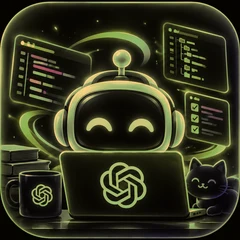
ChatGPT · Codex
▸ RealmForge-XR
⏳ 1 agent waiting for me
00:27:03 elapsed

What it shows

More than "Playing VS Code"

Like Discord's built-in detection, but it covers every AI tool you use, lists your projects, and rotates its second line every 20 seconds through what's actually happening.

⚡

Agents, counted

Every Claude Code session, Codex thread and Gemini session counts, and so does every running Copilot, OpenCode, Aider, Grok or Muse CLI. You see who's working and who's waiting for you.

⚡ 2 cooking · ⏳ 1 waiting for me
🧪

What they're doing

The agent's latest action becomes the status: editing a file, running tests, building, pushing.

🧪 running tests · px4-autonomous-mission
✦

Every project at once

Working on three repos? All three show, ranked by activity, collapsing into "+N more" when it's long.

▸ px4 ✦ Omega-Code ✦ +1 more
🌿

Git at a glance

Branch, uncommitted lines, and commits today for the project you're focused on.

🌿 feat/waypoint-nav · +159 −18
⏱

Today's stats

How long your agents worked today and how many tokens they burned, plus your streak, the model and CI status.

⏱ 3h 31m of agent time · 💸 3.6M tokens
🎉

Milestones

A PR gets merged, you hit your 100th commit of the month, or you set a new streak record. The card celebrates it for ten minutes.

🎉 PR #42 merged · px4-autonomous-mission
👀

A card that renames itself

"Playing Coding" while you type. "Watching Vibe Coding" while your agents do the work. "Competing in" once you've got 5+ going.

Watching Vibe Coding
Images that change

The card art follows the mood

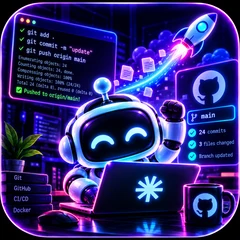
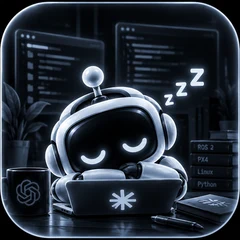
The big picture reacts to what's going on. It celebrates when tests pass, launches a rocket when you push, opens the control room when the simulator is running, rages when the build breaks, and calls in the crew when three or more agents are working. The small badge matches the line underneath it.

Robot mascot typing, glowing orangeCookingagents are working
Three robot mascots at a command centerThe crew3+ agents at once
Robot mascot cheering, tests passedIt passed!tests or build just went green
Robot mascot cheering as a git push rocket launchesShipped itpushing to GitHub
Robot mascot flying drones in a simulation control roomFlying the simROS 2 / Gazebo / PX4 running
Robot mascot frustrated, build failedSomething broketests failing or CI red
Robot mascot waiting by an hourglassWaitingyour turn
Robot mascot asleep, greyscaleIdleapp open in the background
Works with

The tools you already use

Every tool gets its own mascot and all eight moods. One combined card covers them all, with no Discord setup.

Claude Desktop, Code CLI
ChatGPT · Codex desktop, CLI
Gemini Gemini CLI
Grok Build CLI, Grok app
Muse Code Meta
GitHub Copilot CLI
OpenCode
Aider
Cursor
Windsurf
Kiro AWS
VS Code incl. the Claude extension
Install

Up and running in about a minute

No Discord developer setup needed. The cards use shared Discord apps that ship with the tool.

Download the installer

One file for Apple silicon and Intel Macs, macOS 11 or later.

Download for Mac (.dmg)

Open it and double-click Agent Presence

Click Install. It sets everything up and starts by itself at every login. No terminal needed.

First time only: macOS may say it can't check the app for malware, because it isn't from the App Store. Click Done, open System Settings → Privacy & Security, scroll down and click Open Anyway next to Agent Presence. The app is open source, so you can read exactly what it does.

Optional: allow window titles

Click Allow Window Titles… at the end so projects open in Cursor or VS Code show on your card too. Agents from Claude, Codex and the rest work without it.

Open Discord

Start any AI tool and your card shows up on your profile within a few seconds.

Update, uninstall, or use the terminal instead

To update, download the new .dmg and open the app again: it offers Update. Open it any time to Restart or Uninstall.

Prefer the terminal? This does the same thing:

curl -fsSL https://raw.githubusercontent.com/abelxmendoza/discord-agent-presence/main/install.sh | bash

Then agent-presence doctor checks Discord and lists the apps it found, and agent-presence detect previews your cards.

README & website

Show it beyond Discord

Put a live card on your GitHub profile and a status panel on your portfolio, so people and recruiters see what you're building. It shows more than Discord has room for, like every agent and what it's doing, your public projects with branches and CI, and highlights like your streak and commits this month, while the details of your habits stay private on your computer.

Turn it on

Uses your GitHub login from the GitHub CLI (or a token). --readme adds the card to your profile README for you, after asking.

agent-presence web setup --readme

Or paste it yourself

Type your profile repo to get the snippets.

Private by default

Only repos that are public on GitHub are named; everything else shows as "a private project". No file names, no exact OS versions, no clock times: just "live" or the day you last coded. Your full habit history stays on your computer (agent-presence stats), and only the highlights you pick, like your streak or commits this month, get shared.

That's it

It updates while you work and goes quiet when you log off. Everything lives on a side branch of your repo as one commit that's replaced each time, so it never touches your contribution graph.

Example of the website panel. Type your repo to see yours once it's set up.
FAQ

Questions

What does it share? Is any of my code sent anywhere?

No code ever leaves your machine. Only the card text goes to your local Discord app: project names, branch names, file names and commit counts. Anyone who can see your profile can see these. Hide a repo with hide_projects, or turn off any line (show_files, show_git, …) in ~/.config/ai-presence/config.json. Commit messages and full paths are never shown.

How does it know what my agents are doing?

It reads the session logs Claude Code and Codex already write on your machine, and looks at the latest action in each one. For Grok it checks the running CLI process. Window titles show which project is open in Cursor or VS Code.

Discord already shows VS Code for me. Won't I get two cards?

Turn off Discord's own detection for Visual Studio Code under Settings → Registered Games, and the Agent Presence card, with projects and agents, takes its place.

Can I rename the cards or use my own icons?

Yes. Create your own application in the Discord Developer Portal and put its ID under client_ids. Point image_base_url at your own art for custom pictures.

Does it work on Mac and Windows?

Yes. It runs on Linux (X11), macOS and Windows, and it's tested on all three. On Windows, download the .exe installer and double-click it. On a Mac, download the .dmg and double-click the app; it has a button that walks you through allowing window titles (Accessibility) for editor projects. agent-presence doctor tells you if that's missing. Linux on Wayland can't read window titles yet, but agents and session logs still work.

I code on more than one computer. What happens?

Install it on each one and link them with agent-presence link. They share one card that follows whichever computer you're using, counts the agents running on all of them, and shows which machines are in use, like 🖥 2 machines: 💻 MacBook Pro (3) · 🖥 Aurora R16 (2). Each card also names the computer and OS. Hostnames are never shown.

Can I add another tool, like Windsurf, Zed or Aider?

Yes. Each tool is a few lines saying how to find its process, window and session logs. Open a pull request on GitHub.

Let your friends watch you cook.

Free, open source, about a minute to set up.

$ curl -fsSL https://raw.githubusercontent.com/abelxmendoza/discord-agent-presence/main/install.sh | bash